

Summary
The day at a glance
How many tasks sit in each stage, how many are marked urgent, and the next deadline coming up — the first screen after you log in.
Log in and look
Kanban board · AI issue collector
A kanban board for running a project: cards from Triage to Done, with priorities, due dates, subtasks and assignees. Plus a mailbox anyone can write to — an AI files the mail straight onto the board.
No sign-up needed: the board has a guest log-in, or write to join-issues@gmx.de.
What is inside
A dashboard for the day, the board itself, a task editor and a contact list — plus the address that feeds all of them from outside.
Keep scrolling
Summary
How many tasks sit in each stage, how many are marked urgent, and the next deadline coming up — the first screen after you log in.
Log in and look
Board
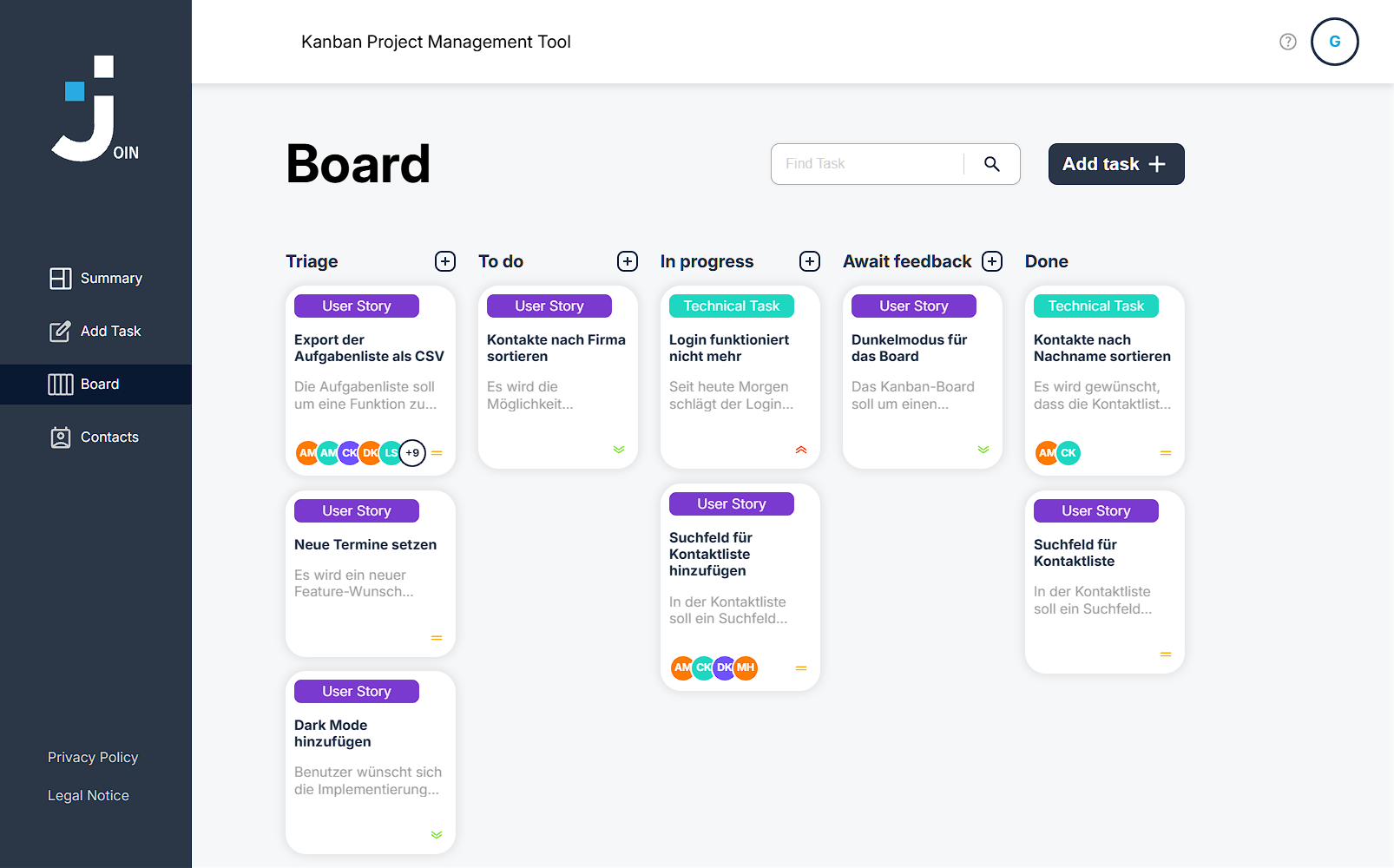
Every task moves left to right as the work progresses. Drag a card into the next column, or open it to edit, tick off subtasks or delete it.

Add task
Title, description, due date, priority, category, who it is assigned to and a checklist of subtasks. Tasks made here start in Triage, same as the ones the AI files.
Try it
Contacts
An address book with name, e-mail and phone number. Everyone in it can be assigned to a task and shows up on the card as a coloured initial.
Get start it
Issue collector
People with no account can just send an e-mail. An AI turns it into a ticket in Triage and keeps the sender posted whenever it moves.
 See how that works
Describe your request in normal sentences — no form, no account, no special format. Mention a date if you need it by a certain day.
It writes a short title, decides whether this is a technical task or a user story, sets a priority from the wording, and picks up any deadline you mentioned.
Your request lands in the Triage column of the board, with you recorded as its author. You get a confirmation e-mail, and another one when the ticket moves.
To keep AI costs predictable, the collector creates 10 tickets per day in total. After that you can still send e-mails — our team then reviews them by hand instead of letting the AI create a ticket. The request page shows how many of today's ten are already used.
Messages are analysed with Google Gemini on its free tier. Google states that content sent through the free tier is used to improve its products. Please do not send anything confidential.
Join is a student project from the Developer Akademie, not a production service. Tickets on the board are publicly visible. Use made-up data when you try it out.
Write to join-issues@gmx.de in your own words. Here is a sample mail and everything that gets pulled out of it.
To join-issues@gmx.de
Subject Login stopped working
Hi, since this morning none of our staff can sign in. After entering the password nothing happens at all. This is blocking our whole production, we urgently need a fix by 05/09/2026.
The ticket then appears in the Triage column with a note that it was generated by AI.
Open the board